Seeing a cup is easy for us
Look around and name three objects. People do this almost without thinking, even when the objects vary in shape, size, and lighting. Teaching a computer to recognize those patterns is a different challenge.
In this February 2020 experiment, I used a Windows 10 Pro computer and Luminoth to explore object detection: finding likely objects in an image and assigning labels.
A historical software stack
The original walkthrough used Python 3.7, pip, Git, and Luminoth. Its upstream repository now clearly states that Luminoth is no longer maintained. Don’t treat the old Python and Git installer links as instructions for a new general-purpose installation.
If reproducing the experiment, use an isolated environment with compatible dependencies and consult the project’s documentation. A permission error isn’t automatically a reason to run every installer as administrator.
The original workflow
- Prepare Python and its package tooling in the intended environment.
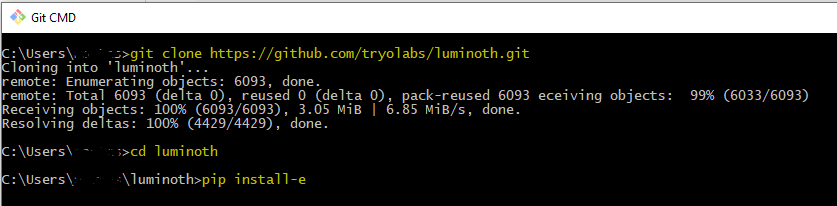
- Install a compatible Luminoth version or its checked-out source. The source-install command shown in my screenshot was
pip install -e ., run from the project directory. - List available pretrained checkpoints with
lumi checkpoint list. - Download a compatible checkpoint using the command documented for that version.
- Start the local demonstration with
lumi server weband open its local address.
The original checkpoint table offered Faster R-CNN with COCO and SSD with Pascal VOC, using the aliases accurate and fast. Those labels describe the project’s presets, not a guarantee that one model wins on every image or computer.
What the result means
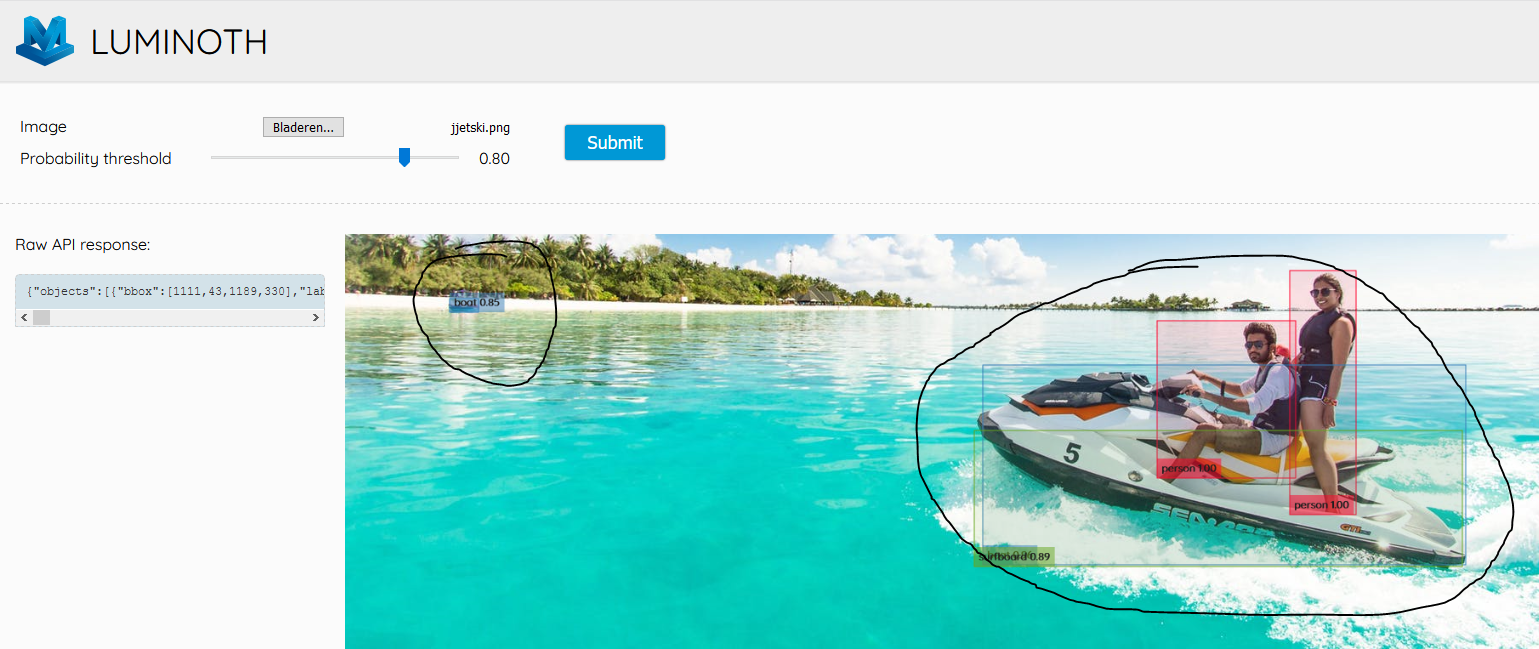
I uploaded a photograph to the local interface and inspected its labels and boxes. This used an already trained model; it didn’t train a new detector on my own objects. Detection confidence also isn’t proof that a label is correct.
A later custom-training project would require labeled examples, a suitable train/test split, and evaluation. For this first experiment, the useful lesson was to see where a model’s familiar categories matched my picture and where they didn’t.
Images from the original article